Minutes instead of hours
Switchgear calculations can be completed far faster than with a manual workflow.
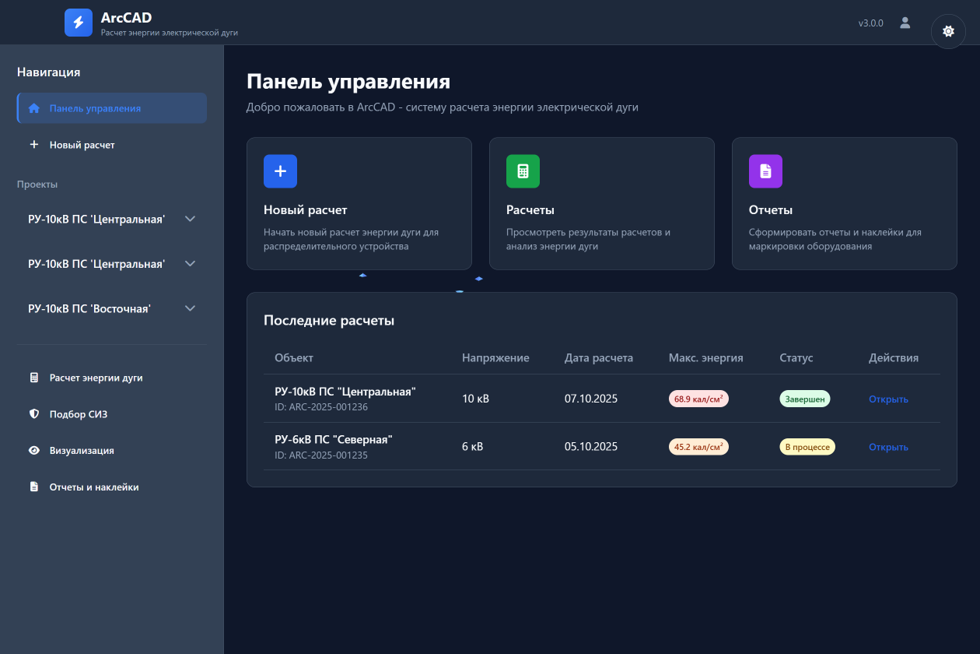
ArcCAD
Automated incident-energy calculation and PPE selection for 0.4–35 kV electrical installations.
The solution helps reduce study effort, improve input-data quality, and support a standards-based approach to personnel risk assessment for electrical equipment.
Effects
Switchgear calculations can be completed far faster than with a manual workflow.
Parameter selection and personnel protection recommendations are handled in a structured automated workflow.
Reports, calculation results, and warning labels are produced within one connected workflow.
Purpose
ArcCAD (АркКАД) is designed for automated incident-energy calculation, arc-flash boundary assessment, and selection of the required PPE level for work in electrical switchgear.
The solution is intended for HSE teams, electrical departments, engineering contractors, and operating companies that need a repeatable and well-grounded approach to personnel risk assessment.
Context
Manual workflows require a large volume of input data, standards checks, and detailed handling of equipment parameters.
The reliability of the result depends heavily on specialist experience and the quality of the source information.
Calculation errors can lead either to insufficient personnel protection or to excessive cost.
When incidents occur, transparency of method, justification of decisions, and reproducibility of results all matter.
Capabilities
Calculations are structured in line with applicable technical requirements and established industry practice.
From input data to final result in minutes, without manual use of complex calculation procedures.
Automatic determination of the required protection level for personnel based on study results.
Manufacturer-based data supports automatic insertion of typical equipment parameters.
Generation of reporting materials and warning labels for placement on electrical equipment.
Applicable to LV and MV switchgear, including MCCs, metal-clad switchgear, and similar assemblies.
Process
ArcCAD structures the study as a clear and sequential process, from equipment selection through to personnel recommendations.
Switchgear type, voltage level, number of sections, manufacturer, and equipment configuration.
Short-circuit current, compartment dimensions, conductor arrangement, and other required study inputs.
Determination of incident energy, arc-flash boundary, and the main risk-related output values.
PPE recommendations, report generation, and issue of a warning label with QR-code access.
Database
The built-in manufacturer database reduces manual input and allows teams to use verified typical values during study preparation.
Comparison
Personnel warning
Based on the study output, ArcCAD creates a label for placement on equipment and fast communication of hazards to personnel before work starts.
Applications
Implementation effect
Better-grounded PPE selection and lower risk exposure for personnel.
Support for a standards-based approach and a formalized study process.
Reduced engineering effort for preparation, calculation, and result formatting.
One digital workflow for study execution, reporting, and equipment labeling.
FAQ
It helps determine the hazard level for personnel in the event of an arc-flash incident, define the arc-flash boundary, and select the required level of PPE.
The solution is designed for 0.4–35 kV electrical installations and can be applied to LV switchboards, MV switchgear, metal-enclosed assemblies, and similar equipment.
Yes. ArcCAD automates the most complex part of the workflow, reduces avoidable errors, and provides ready-to-use recommendations based on the study output.
It enables automatic insertion of typical equipment parameters, shortens study preparation time, and improves the reliability of input data.
Next step
We can walk you through the solution logic, the structure of input data, and the format of the final materials for implementation at your facility.